How Does Facebook Marketplace Shipping Work in 2026: Complete Guide for eCommerce Businesses
Facebook Marketplace shipping continues to grow as a powerful sales channel in 2026. Sellers can reach millions of buyers without managing complex logistics systems from scratch.
This guide covers the complete process, updated rates, carriers, and practical tips tailored for eCommerce businesses aiming for higher rankings and better mobile experience.
How Facebook Marketplace Shipping Works for Sellers in 2026
Facebook Marketplace shipping automates the entire journey from listing to doorstep delivery. Sellers enable the feature once, then buyers select shipping at checkout while the platform calculates rates and generates labels through integrated carriers.
The system works through these core steps:
Enable shipping in your Commerce Manager seller profile
Buyers purchase and choose shipping during checkout
Platform displays real-time rates based on weight, dimensions, and zone
Sellers generate prepaid labels via USPS, UPS, or FedEx
Drop packages at carrier locations and track everything inside the Facebook app
Over one billion monthly active users continue accessing Marketplace, making reliable shipping essential for conversion and seller ratings.
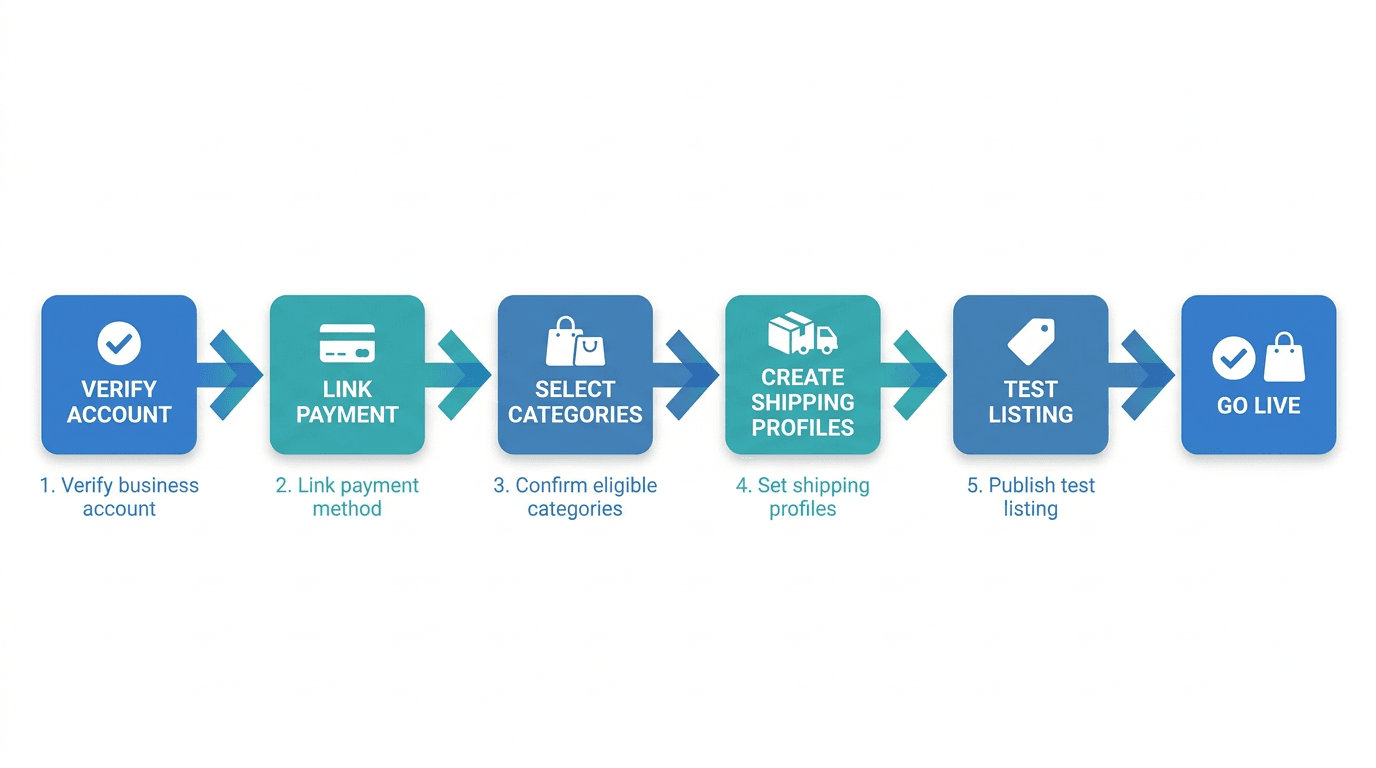
Step-by-Step Guide to Setting Up Facebook Marketplace Shipping
Follow this sequence to activate Facebook Marketplace shipping without delays or account issues. Proper setup in Commerce Manager prevents rate errors and label failures later.
Verify your business account and complete identity checks in Facebook Commerce Manager.
Link a valid payment method that will cover label costs deducted from sales.
Confirm product categories are eligible (most apparel, electronics, home goods qualify).
Create shipping profiles defining zones, speeds, and any free-shipping thresholds.
Publish a test listing with accurate weight and dimensions to validate the flow.
Start with domestic U.S. zones only. Expand later once the process runs smoothly and customer feedback is positive.
Facebook Marketplace Shipping Rates and Carriers Comparison
Accurate rate knowledge helps sellers price products competitively while protecting margins. Facebook Marketplace pulls live rates from its carrier partners; actual costs depend on package weight, dimensions, and destination zone.
Weight Range
USPS First Class / Ground Advantage
UPS Ground
FedEx Ground / Home Delivery
Typical Transit
0–1 lb
$5.10–$6.80
$9.50–$11.20
$10.20–$12.00
2–5 days
1–2 lb
$6.20–$8.10
$11.00–$13.50
$12.00–$14.50
3–6 days
2–5 lb
$8.50–$12.40
$14.00–$18.00
$15.50–$19.80
3–7 days
5–10 lb
$12.00–$18.00
$18.50–$24.00
$20.00–$26.50
4–8 days
Rates shown are approximate 2026 averages for continental U.S. zones 2–5 and exclude any promotional discounts. Always check live quotes inside the seller dashboard before listing.
Supported Carriers Explained for 2026
Facebook Marketplace currently integrates three major U.S. carriers for domestic shipping only. Each option serves different product types and seller priorities.
USPS: Lowest cost for lightweight items under 2 lb; wide drop-off network including post offices and blue collection boxes.
UPS: Strong for mid-weight packages (1–15 lb) with reliable ground service and good tracking visibility.
FedEx: Competitive ground and home-delivery options; often preferred for denser or higher-value items.
No native international shipping exists. Sellers must use third-party forwarders or separate logistics partners after the sale.
2026 updates include tighter API tracking and more transparent dimensional-weight calculations.
Select the carrier that balances cost, speed, and reliability for your average order profile.
How to Generate Shipping Labels on Facebook Marketplace
Label creation takes less than two minutes once an order arrives. Completing the process quickly protects your seller metrics and buyer satisfaction scores.
Open the Orders tab after receiving a purchase notification.
Click the “Ship” or “Buy Shipping Label” button next to the order.
Confirm weight, dimensions, and select the preferred carrier and service.
Purchase and print the prepaid label (or download the PDF for thermal printers).
Affix the label securely, drop the package the same day if possible, and the tracking number updates automatically.
Always ship within the stated handling time shown on your listing. Late shipments lower visibility in Marketplace search results.
Common Shipping Issues and Proven Fixes
Most Facebook Marketplace shipping problems have simple, fast solutions. Addressing them promptly keeps ratings high and avoids automatic refunds.
Label printing errors → Reprint directly from the order details page.
Incorrect address or zone → Edit shipping details before purchasing the label.
Tracking stuck or delayed → Message the buyer with an update and contact the carrier.
Buyer claims non-receipt despite “delivered” status → File a claim with the carrier within their deadline (usually 30–45 days).
Restricted item rejection → Review Facebook’s prohibited items list before listing; hazardous, perishable, and oversized goods are blocked.
Unexpected dimensional weight charges → Measure packages accurately and use the densest possible packing.
Check Facebook’s Commerce Policy page quarterly for any rule changes that affect shipping eligibility.
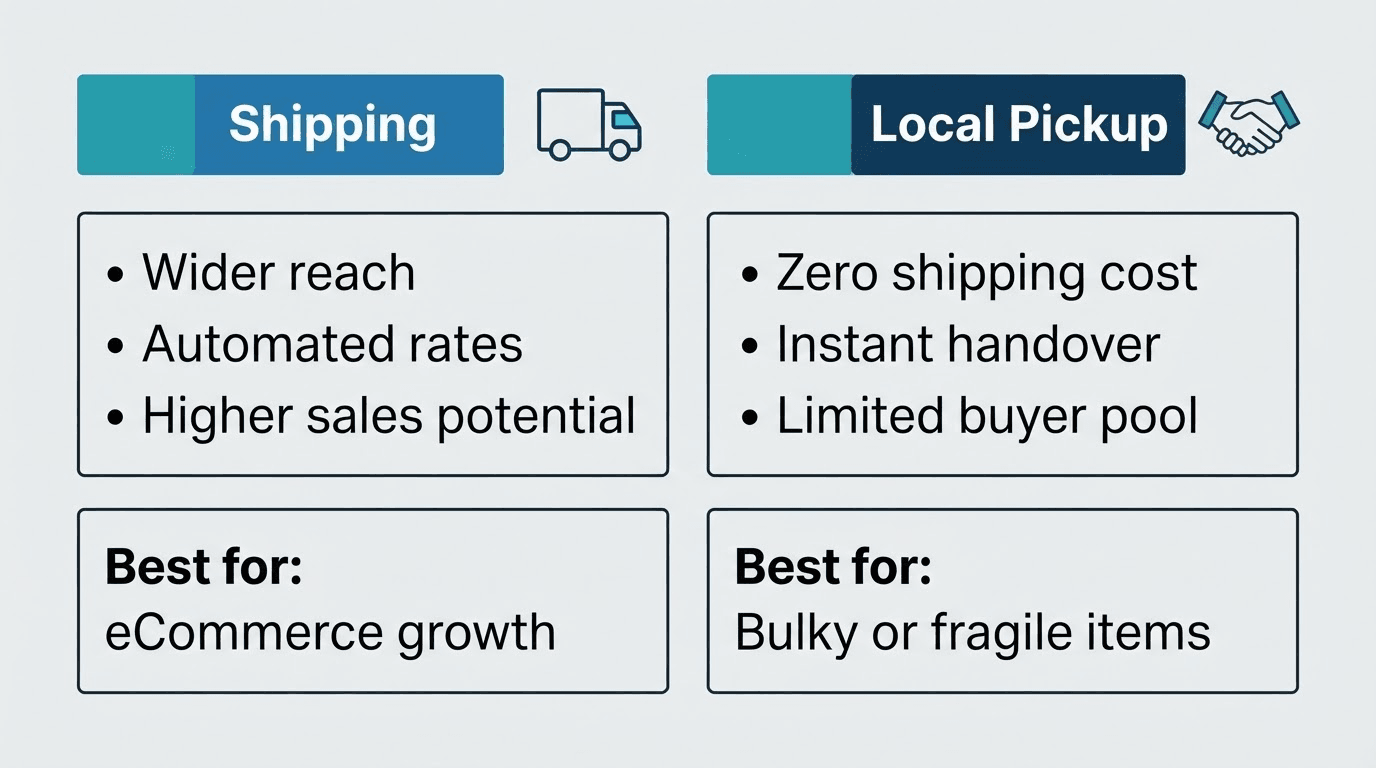
Facebook Marketplace Shipping vs Local Pickup
Choosing between shipping and local pickup directly impacts sales volume and operational effort. Many successful sellers offer both options on the same listing.
Factor
Shipping
Local Pickup
Buyer Reach
Nationwide / multi-state
Local radius only
Cost to Seller
Carrier rates + platform fee
Zero shipping cost
Speed of Handover
2–8 days typical
Same day or next day
Logistics Effort
Labeling, packing, drop-off
Coordinate meeting place
Ideal Products
Lightweight, non-fragile items
Furniture, vehicles, large goods
Sales Lift Potential
Higher volume through broader reach
Strong for high-ticket local items
Data from recent seller reports shows enabling shipping consistently increases order volume compared with pickup-only listings.
Best Practices for eCommerce Success
Consistent execution of a few core habits produces the strongest results on Facebook Marketplace shipping. These practices improve both conversion rates and long-term seller health.
Enter exact weight and dimensions on every listing so rates stay accurate.
Use clear, well-lit photos that show the item and how it will be packed.
State shipping timeframes and return policy plainly in the description.
Offer free or discounted shipping on higher-value or multi-item orders.
Reply to buyer messages within one hour during business hours.
Package items securely with appropriate cushioning to reduce damage claims.
Monitor your Metrics dashboard weekly and address any dips in on-time shipping or ratings immediately.
Frequently Asked Questions
What carriers does Facebook Marketplace shipping support in 2026?
Facebook Marketplace integrates USPS, UPS, and FedEx for domestic U.S. shipping. Sellers select the carrier when purchasing each label inside the Orders tab.
Can I offer international shipping through Facebook Marketplace?
No native international shipping exists. After a domestic sale you may arrange separate international fulfillment through a third-party logistics partner if both parties agree.
How much does Facebook Marketplace shipping cost sellers?
Sellers pay the actual carrier rate for the label plus Facebook’s standard final-value fee on the sale. There is no extra platform shipping surcharge beyond those two components.
How do I create a shipping label after a sale?
Open the order in Commerce Manager or the Facebook app, click Ship, confirm package details, choose a carrier, purchase the label, print it, and drop the package at a carrier location.
What happens if a package is lost or shows delivered but the buyer never received it?
Contact the carrier to open a claim within their stated deadline. Facebook may also assist with buyer communication, but insurance and claims remain the seller’s responsibility.
Can I set my own custom shipping rates?
Yes. Inside Commerce Manager you can create shipping profiles that include free-shipping thresholds, flat rates for specific zones, or calculated rates pulled from the carriers.
Which items are restricted from Facebook Marketplace shipping?
Hazardous materials, perishables, live animals, firearms, and most oversized or extremely heavy items are prohibited. Always check the latest Commerce Policies before listing.
How does Facebook Marketplace shipping affect my seller rating?
On-time shipment rate, tracking upload speed, and low dispute volume all contribute to your metrics. Consistent performance improves listing visibility and buyer trust.
Next Steps for Smarter Logistics
Mastering Facebook Marketplace shipping is only the first step toward scalable eCommerce fulfillment. When order volume grows or you need multi-channel, international, or inventory-backed solutions, a dedicated logistics partner becomes essential.
FreightAmigo provides instant rate comparison, real-time tracking, and flexible fulfillment options that complement Marketplace sales. Explore tailored eCommerce logistics support to keep every order moving efficiently.
For expert guidance, Book a Demo with FreightAmigo.
How does Facebook Marketplace shipping work for sellers?
Facebook Marketplace shipping automates the full process from listing to delivery. Sellers enable the option once in Commerce Manager while buyers select shipping at checkout and the platform handles rates and labels via integrated carriers.
What steps are required to set up Facebook Marketplace shipping?
Complete a short sequence in Commerce Manager to activate shipping. Verify the business account, link payment, confirm eligible categories, create shipping profiles, and test a listing with accurate dimensions.
Which carriers and rates does Facebook Marketplace use?
Facebook Marketplace integrates USPS, UPS, and FedEx for domestic U.S. shipping. Rates vary by weight and zone and appear live in the seller dashboard for accurate quoting.
How do sellers generate shipping labels on Facebook Marketplace?
Label creation takes under two minutes from the Orders tab. Confirm package details, select a carrier, purchase the prepaid label, print it, and drop the package at a carrier location.
What are common Facebook Marketplace shipping issues and fixes?
Most problems have quick solutions inside the platform. Reprint labels, correct addresses before purchase, contact carriers for tracking delays, and file claims promptly for lost packages.
How does shipping compare with local pickup on Marketplace?
Shipping expands buyer reach while local pickup reduces seller effort. Many listings succeed by offering both options to match different product types and customer preferences.
What best practices improve eCommerce results with Marketplace shipping?
Accurate measurements and fast communication drive higher conversion. Sellers should enter exact weights, use clear photos, state timeframes, offer free shipping thresholds, and monitor metrics weekly.


























 Global Popular RoutesTop sea & air shipping lanes
 Special OfferLimited-time shipping promotions





 Express
 Document
 Parcel - Air/Sea
 Container
 Relocation